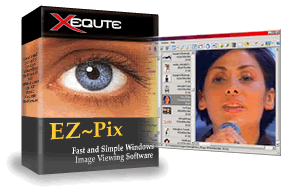
v8.0 Top Ten List of New Features:
| 1. |
Now uses XP Themed controls throughout the software |
| 2. |
Many styling improvements including new graphics |
| 3. |
New toolbar allows zooming of images in real-time |
| 4. |
Many other zoom improvements, including zoom to fit as an intermediary step when using the zoom buttons |
| 5. |
Drop down buttons beside move/copy display recent folders for quick relocation of files |
| 6. |
The thumbnail layout is now improved: Thumbnails are larger, Filename display mode now shows the file icon and the Small thumbnail mode adds the file date |
| 7. |
Now faster when displaying larger images |
| 8. |
Can now choose whether the file creation date or modified date is used for display and sorting |
| 9. |
Added option for real-time display of thumbnails as scrolling |
| 10. |
More detailed and relevant information displayed in the status bar |
v7.0 Top Ten List of New Features:
| 1. |
Can now perform red-eye removal on images |
| 2. |
New option allows you to automatically convert and reduce the size of images when e-mailing them |
| 3. |
Can now export files to DVD PixPlay |
| 4. |
Added three new layouts for the main window |
| 5. |
Improved application styling including updated graphics, improved tab and color selection controls and smoother thumbnails |
| 6. |
Improved layout of many dialogs, particularly Options, Batch rename, Create particularly, file lists and HTML wizards |
| 7. |
Improved camera acquisition with automatic detection of connected cameras and progress during retrieval |
| 8. |
Simpler interface with advanced/less used functions hidden by default |
| 9. |
Now offers itself as a retrieval option when a camera is connected on windows XP |
| 10. |
Now EZ-Pix run-times distributed on a CD-ROM never expire |
v6.0 Top Ten List of New Features:
| 1. |
All new interface featuring XP Style graphics (still works on all windows versions) |
| 2. |
Can now support displayed files by name, date, size, etc. |
| 3. |
New Camera/Scanner acquisition wizard with support for USB cameras |
| 4. |
Improved performance with faster thumbnail display |
| 5. |
Can now send images to Power Print for printing |
| 6. |
Can now export image lists and descriptions to Diji Album |
| 7. |
Can now optionally display large size buttons |
| 8. |
Easier method for registering the software and extending the trial period |
| 9. |
Improved wallpaper method copes better with Active Desktop |
| 10. |
Now shares thumbnail cache with other Xequte products (such as Diji Album) |
Purchase EZ-Pix
|
Download EZ-Pix
|
Upgrade EZ-Pix
|
Compare
Xequte Home Page
- Xequte.com Site Map
Copyright Xequte Software 2009
|