|
 |
|
| History of |
| Smart Pix Manager |
| Photo and Multimedia Management Software |
|
Smart Pix Manager v20 is a feature rich upgrade offering numerous changes and improvements.
For information on upgrading, please see our upgrade page.
v20 Top Ten Enhancements
| 1. |
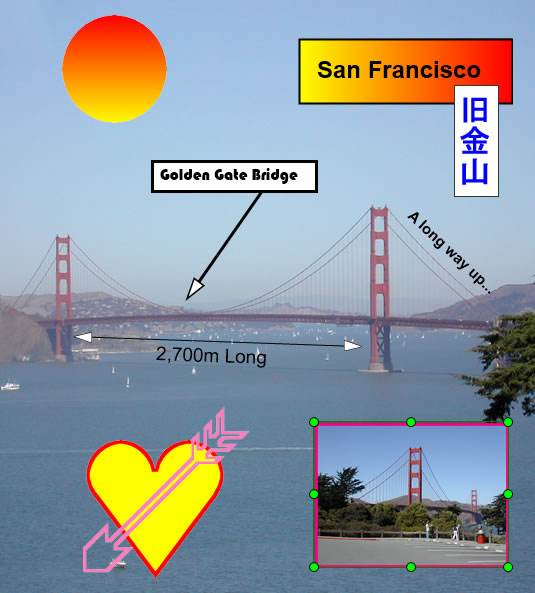
Image Adornments
Drag and drop images, shapes, text and lines onto your images
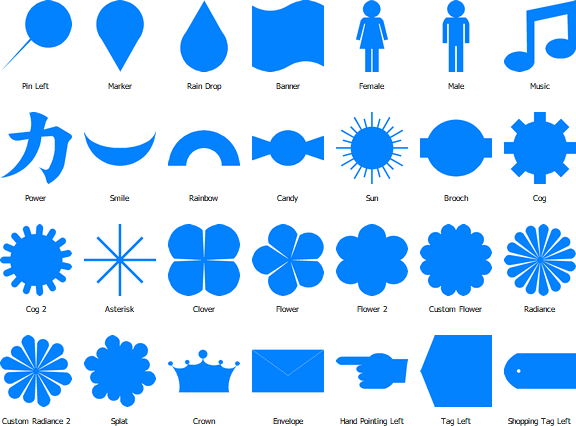
Over 100 shapes are built-in:
|
 |
| 2. |
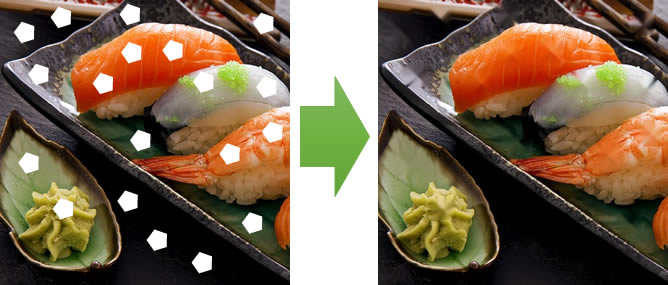
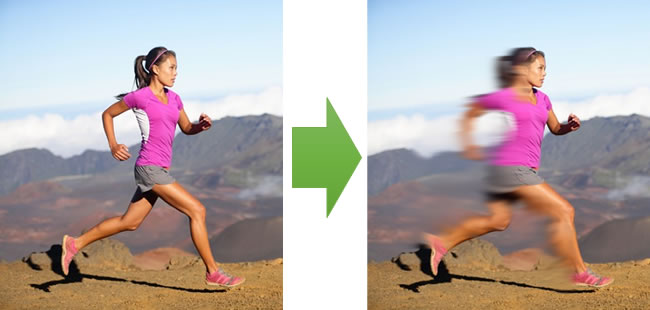
Retouch Tools
New Interactive brushes to fix image content: Smudge, Inpaint, Blur, Smooth, Sharpen, etc.
|
|
| 3. |
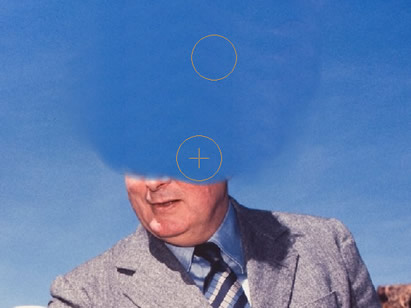
Clone Brush
Erase unwanted content from images with the new cloning brush
 |
|
| 4. |
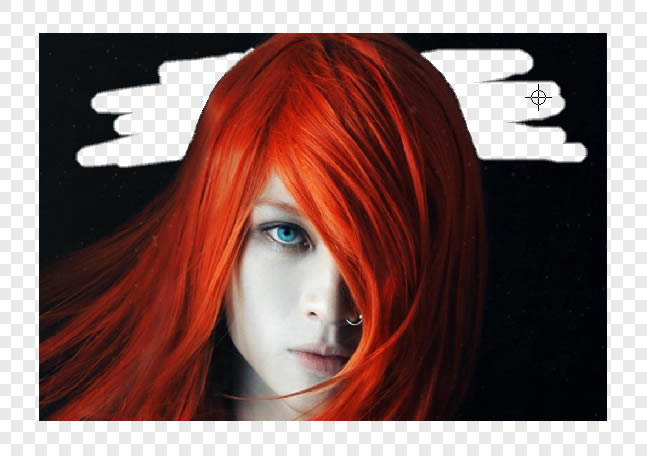
Paint and Eraser Brushes
New brush tools to paint and enhance your images.
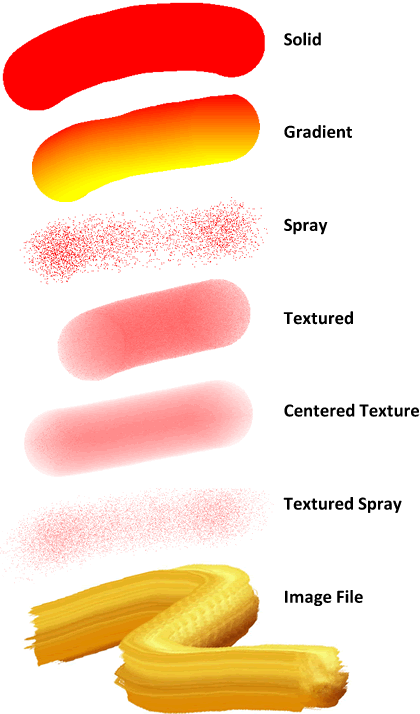
Includes a "Smart Eraser" to remove background without erasing subject
 |
|
| 5. |
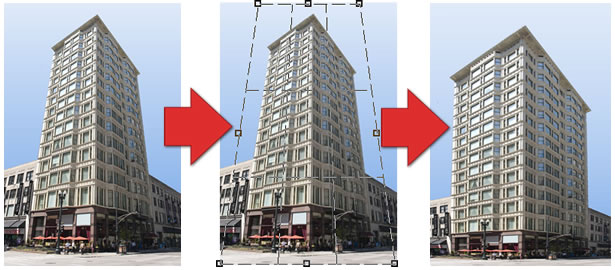
Crop and Perspective Fixing
Easily crop images and fix the perspective of offset photos
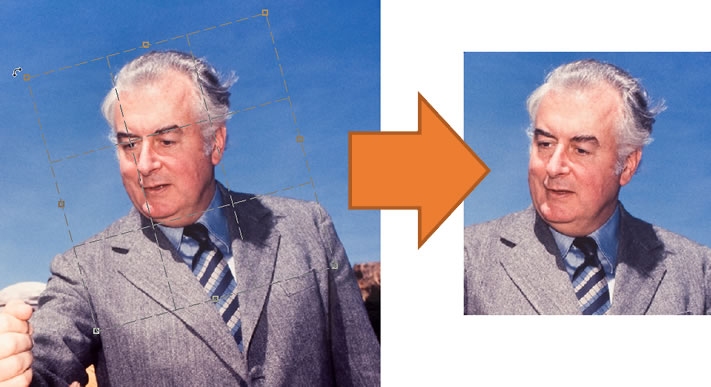
Interactive adjustment of perspective distortion:
 |
|
| 6. |
Enhanced Styling
Many improvements to UI styling, including new themes, updated graphics and sizable dialogs.
|
|
| 7. |
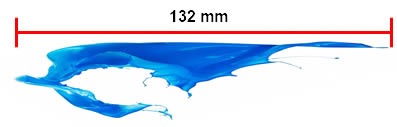
Measurement Tools
Measure lengths, rectangular and elliptical areas within your images
|
|
| 8. |
New Image Editing methods
Many new methods to edit images including freestyle rotation and "Pixelize" effect
|
|
| 9. |
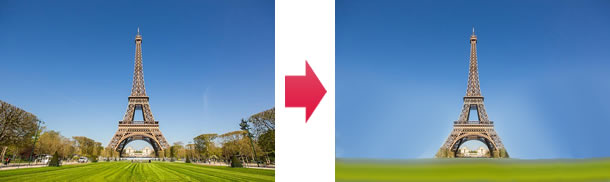
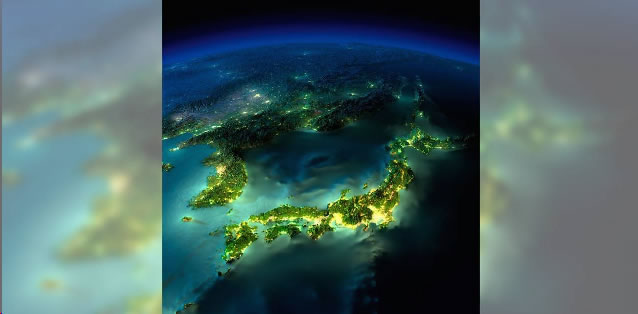
Blurred Background Style
New background style for image display (improving styling when displaying portrait images)
 |
|
| 10. |
Much Wider Image Format Support
Now supports HEIF/HEIC, WebP, DirectDraw Surface (.DDS) and Microsoft HD Photo images, as well as MP4 Video. Also reads many more Camera Raw formats, including .CR3, .SR2, .ARW, NRW
|
Complete Change List:
- Added: New Camera Raw formats: .CR3, .SR2, .ARW, NRW, .KDC, .MEF, .CAM, .PTX, .PXN, .RDC, .RW2, .RWL, .SRW
- Added: New Image formats: DirectDraw Surface (.DDS), Microsoft HD Photo/JPEG XR (.WDP, .JXR, .HDP), High Efficiency Image Format (.HEIC, .HEIF) and WebP Images (.WEBP)
- Added: New Video format: MP4 Video
- Added: Blurred Image background style (like on YouTube when displaying portrait videos)
- Added: Add Text, shapes, lines, arrows and images to the current image
- Added: More modern UI styling
- dded: When changing UI styling selector immmediately shows preview of new style
- Added: Retouch tools: Interactive brushes to fix image content: Smudge, Inpaint, Blur, Smooth, Sharpen, etc.
- Added: Clone Brush tool
- Added: Brush tool, spray can, texture and image brushes
- Added: Eraser tools
- Added: Crop and Perspective fix Tool
- Added: Rotate tool
- Added: Image rulers
- Added: Measurement Tools
- Added: Improved the styling of all columnar grids
- Added: Smoother scrolling of various controls, such as Feature overview
- Added: New splash screens and About Boxes
- Fixed: May not get correct status of options hwen right-click the search kewyords grid
- Fixed: Errors while displaying map
- Added: Display of buttons on glyphs now optional
- Added: All dialogs are now sizable
- Added: Various layout and styling improvements on dialogs
- Added: Faster display of Tools menu
- Fixed: Does not show next thumbnail mode when togging display modes
| |
