|
 |
|
| MailList King |
| Email Mailing List Management Software |
| Windows 11 - 10 - 8 - 7 - Vista |
| $99.50 / $199.50 / $899.50 usd |
 |
 |
|
Click a thumbnail to display the image
| MailList King Main Window |
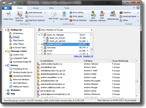 |
| The main window provides access to the members of your mailing list and allows you to select groups or filter by such fields as country, state, company, new users, those who read the last mailer, etc. |
| Sending Mail to your Mailing List |
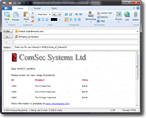 |
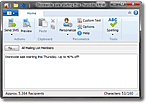
| MailList King allows you to send plain text or rich text (HTML) messages to your entire mailing list or a selection filtered by group, country, insertion date, etc. Messages can also be personalized with a recipient's name, company, custom text, etc. |
| Four Sending Methods |
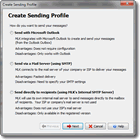 |
| MailList King offers four sending methods including blazingly fast multi-threaded SMTP, a built-in SMTP Server to send directly to your recipients without using the servers of your ISP, or send via your favorite e-mail software |
| Outlook Contacts Synchronization |
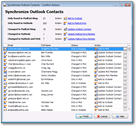 |
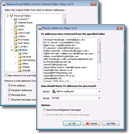
| Automatically synchronize your mailing list with Outlook Contacts (Shown: An optional confirmation dialog allowing selection of the action for each changed contact) |
| Graphs and Statistics |
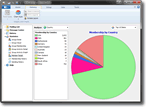 |
| MailList King offers a variety of graphs and statistics to allow you to review the status and trends of your groups and members |
| Microsoft Outlook Toolbar |
 |
| MailList King can integrate into Outlook for quick forwarding of messages to your mailing list, as well as processing of messages and contact for addition to groups
MailList King can also integrate with other e-mail software (though without toolbar support)
|
| Auto-Responders |
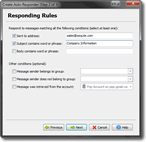 |
| Automatically reply to common messages or web submissions with personalized responses |
| Campaign Creator |
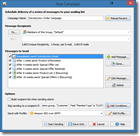 |
| Create full campaigns to deliver a series of messages with automatic cancelling and resending |
| Mailing List Member Details |
 |
| MailList King stores all address and mailing list details for your group members. You can also create your own custom fields. A full history is available for each member |
| Support for User Sending |
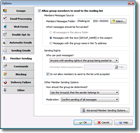 |
| Optional discussion list functionality allows members of your mailing list to send messages to your groups |
| Double Opt-In and Opt-Out |
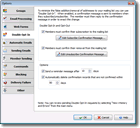 |
| Meeting the requirements of European legislation, MailList King optionally requires that the subscription (or removal) of addresses to your mailing list need to be confirmed by an e-mail reply |
| Stationery |
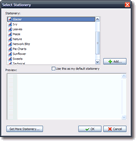 |
| Use stationery and HTML templates to build stylish newsletters and powerful promotional material |
| Processing of Web Submission Messages |
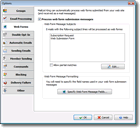 |
| If you use web submission forms on your site to retrieve customer details, MailList King can automatically processes the submission messages and input them into your database |
| Acknowledgment and Welcome Messages |
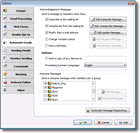 |
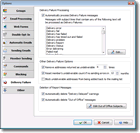
| Other management features include automatic sending of acknowledgments when users subscribe, unsubscribe or modify their e-mail address, and welcome messages when users first join your mailing list |
| Importing and Exporting |
|
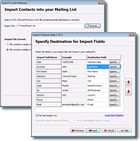
| Mailing list data can be imported and exported from/to other programs using text, CSV, Excel, Access and other files, or directly via ADO or ODBC. Outlook and Windows contacts can also be imported and exported. |
| |